Part-time staffing that runs without the headaches
Shift bidding, seniority-based ranking, OT management, and duty minimums — all in one place, so you spend less time building rosters and more time running your department.
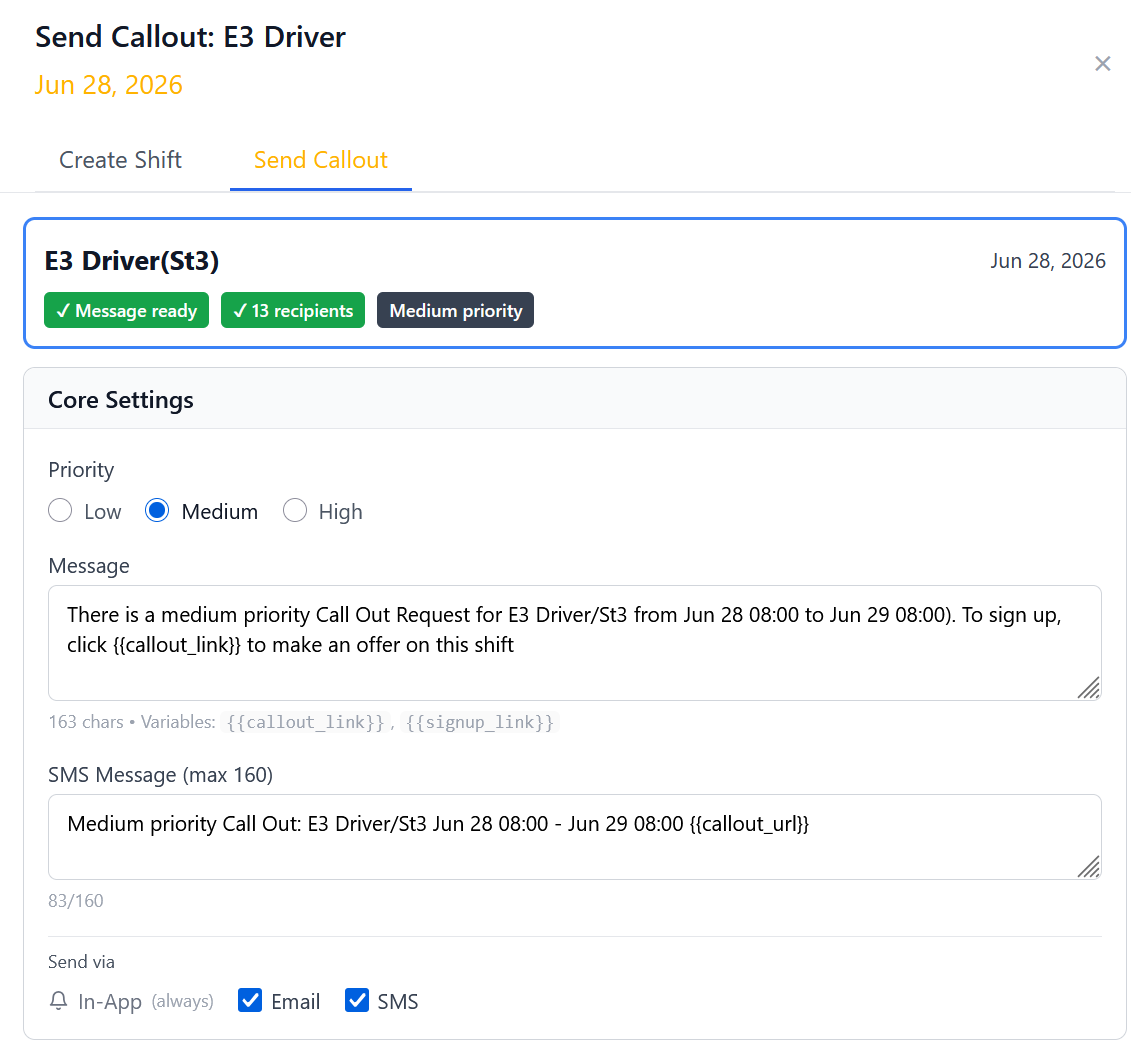
Open shifts filled through a fair, transparent bid process
Part-timers see available shifts and submit bids. You control the rules — seniority, certifications, hours worked — and Daily Roster enforces them automatically.
-
Availability & callouts Part-timers opt in or opt out of availability for each shift. Send callout requests to eligible members, then track and rank responses automatically.
-
Bid submission & acceptance Part-timers submit bids via SMS, email, or the web interface. No phone calls, no back-and-forth.
-
Overtime threshold alerts Get notified when an awarded shift would push a part-timer across an overtime threshold — before you confirm it.
Your ranking rules, enforced automatically
Define how shifts are awarded — by seniority, by hours worked, by certification level, or any combination — and let Daily Roster apply those rules consistently, every time.
-
Configurable ranking criteria Set priority order based on seniority date, total hours worked, role certification, or custom fields — or combine multiple factors.
-
Rotating equalization Optionally rotate priority so part-timers with fewer hours get first access to shifts over time — keeping opportunity distribution fair.
-
Full audit trail Every bid, award, and ranking decision is logged. If someone questions why they didn't get a shift, you have the receipts.
Keep overtime under control before it becomes a problem
Daily Roster tracks hours in real time and enforces OT caps automatically — so no one accidentally racks up unauthorized overtime and you're not reconciling surprises at period end.
-
Real-time hour tracking Running totals for every part-timer, updated as shifts are awarded and worked. No spreadsheet math required.
-
Configurable OT caps Set per-period hour limits by role or individual. Part-timers who have hit their cap are automatically blocked from bidding additional shifts.
-
Threshold alerts Get notified when a part-timer is approaching their limit — before they cross it — so you can plan coverage proactively.

Always know if a shift meets minimum staffing
Set the minimum number of qualified personnel required per apparatus, per role, or per shift — and get an alert the moment a roster falls below standard.
-
Per-apparatus minimums Set required headcounts by vehicle and role — e.g. Engine 1 must have 1 Driver and 2 Firefighter I/II minimum before it can go in service.
-
Below-minimum alerts When a scheduled shift drops below minimum due to a callout or no-fill, you're notified immediately so you can act before the shift starts.
-
Compliance visibility A clear at-a-glance view of which shifts are covered, which are marginal, and which need immediate attention — across all stations.
-
Engine 1 — Driver/Engineer1 / 1
-
Engine 1 — Firefighter I/II2 / 2
-
Medic 1 — Paramedic (ALS)1 / 2
-
Ladder 1 — Ladder Certified2 / 2
-
HazMat — Ops Level0 / 1

Live gap view — staffed shifts, open gaps, and one-click sign-up
From open shift to covered roster
A typical part-time staffing cycle in Daily Roster.
An open shift is identified
A shift opens due to a vacancy, callout, or scheduled need. Daily Roster flags it against your minimum staffing requirements.
Eligible part-timers are notified
Only qualified part-timers — those with the right certs who haven't hit their OT cap — receive a bid notification via SMS or email.
Bids come in, ranked automatically
Responses are sorted by your configured ranking rules — seniority, hours worked, or custom criteria. The top eligible bidder is presented first.
Shift is awarded and confirmed
Auto-fill assigns the shift immediately, or an admin reviews and confirms. The part-timer is notified and the roster updates in real time.
Hours and minimums update automatically
The part-timer's period hours increment, OT caps are rechecked, and minimum staffing indicators refresh — no manual entry required.
See it in your department
We'll walk you through how Daily Roster handles your part-time staffing workflow from open shift to filled roster.
- 30-minute demo tailored to combination department workflows
- We'll configure bidding and ranking rules to match your SOPs
- Full trial access starts the same day
- No spam — one contact to set up the walkthrough
Request a Demo
Fill out the form and we'll be in touch within one business day.